Apex is Salesforce's own server-side programming language — and for any developer working on the platform, understanding it is non-negotiable. While declarative tools like Flows, Process Builder, and Validation Rules handle most business logic, Apex steps in when complexity, scale, or integration requirements exceed what those tools can deliver. In this guide, we cover what Apex is, its key features, and a full breakdown of every type of Apex with real code examples.
📌 What Is Apex?
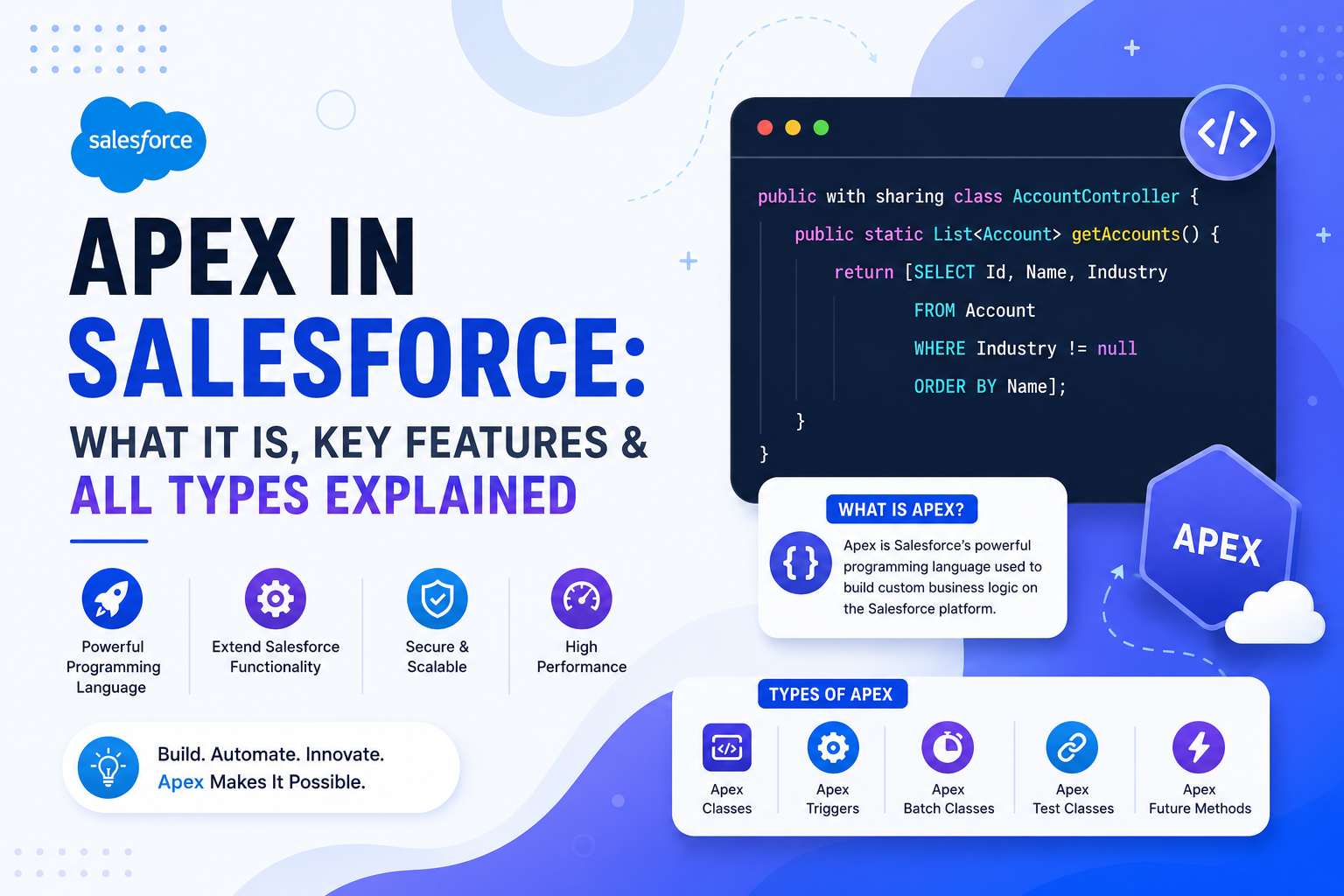
Apex is a strongly typed, object-oriented programming language developed by Salesforce. It runs on Salesforce's servers — not in the browser — and is designed specifically to interact with Salesforce data, platform services, and external systems. Syntactically similar to Java, Apex is built for a multitenant environment, meaning Salesforce enforces governor limits to prevent any single org's code from consuming shared resources and impacting others.
Apex is primarily used for: creating custom business logic, automating complex processes, integrating Salesforce with external systems via callouts, performing database operations (CRUD), and building custom web services.
🔑 Key Features of Apex
| Feature | Description |
|---|---|
| Strongly Typed | Every variable must be declared with a data type — no implicit typing allowed |
| Object-Oriented | Supports classes, objects, interfaces, inheritance, and polymorphism |
| Database Integrated | Directly queries Salesforce objects using SOQL and SOSL without any separate ORM layer |
| Built-in Testing | Salesforce requires a minimum of 75% code coverage via test classes before any Apex can be deployed to production |
| Multitenant Safe | Governor limits enforce fair resource usage across all orgs sharing the same infrastructure |
| Governor Limits | Enforced at runtime — limits on SOQL queries, DML statements, CPU time, heap size, and more |
🗂 Types of Apex in Salesforce
Apex is categorized based on how and when code executes. There are three primary categories: Synchronous Apex, Asynchronous Apex, and Trigger Apex. Each serves a distinct purpose and comes with its own use cases, advantages, and constraints.
1️⃣ Synchronous Apex
Synchronous Apex executes immediately and sequentially in the same thread as the user's action. The user waits for the operation to complete before the UI responds. This is the default execution model for most Apex code — including Visualforce controllers, Apex classes called from Lightning components, and anonymous Apex executed via Developer Console.
Example: Anonymous Apex
Account acc = new Account(Name = 'Test Account');
insert acc;
This executes instantly in the current transaction and creates an Account record synchronously. If it fails, the entire transaction rolls back.
2️⃣ Asynchronous Apex
Asynchronous Apex runs in the background — the user does not wait for it to complete. It is designed for long-running operations, large data volumes, and external callouts that would otherwise hit synchronous governor limits. Salesforce offers four types of asynchronous Apex, each suited to different scenarios.
a) Future Methods
Future methods run in a separate thread and are the simplest form of async Apex. They are most commonly used for callouts to external REST or SOAP services, since callouts are not allowed in synchronous Apex that is triggered by a DML event. A method is marked as a future method using the @future annotation.
@future
public static void updateAccount(Id accId) {
    Account acc = [SELECT Id, Name FROM Account WHERE Id = :accId];
    acc.Name = 'Updated Account';
    update acc;
}
Limitations: Future methods cannot be called from Batch Apex, cannot accept sObject arguments directly, and offer no built-in monitoring or chaining support.
b) Batch Apex
Batch Apex is the go-to solution for processing large datasets — thousands or even millions of records — that would exceed synchronous governor limits. It breaks the data into smaller chunks and processes each chunk in a separate transaction. A Batch Apex class must implement the Database.Batchable interface and define three methods: start(), execute(), and finish().
global class AccountBatch implements Database.Batchable<sObject> {

    global Database.QueryLocator start(Database.BatchableContext bc) {
        return Database.getQueryLocator('SELECT Id, Name FROM Account');
    }

    global void execute(Database.BatchableContext bc, List<Account> scope) {
        for (Account acc : scope) {
            acc.Name = 'Updated';
        }
        update scope;
    }

    global void finish(Database.BatchableContext bc) {
        System.debug('Batch Completed');
    }
}| Method | Purpose |
|---|---|
| start() | Defines the full dataset to process — typically returns a QueryLocator or Iterable |
| execute() | Processes each batch of records — default batch size is 200 records per chunk |
| finish() | Runs once after all batches complete — ideal for sending notifications or triggering follow-up jobs |
c) Queueable Apex
Queueable Apex is the evolved successor to future methods. It offers the same background execution model but with significantly more flexibility: it supports complex data types (including sObjects), allows job chaining (one Queueable can enqueue another), and each job can be monitored individually via the Apex Jobs page in Setup.
public class AccountQueueable implements Queueable {
    public void execute(QueueableContext context) {
        List<Account> accList = [SELECT Id, Name FROM Account];
        for (Account acc : accList) {
            acc.Name = 'Queue Updated';
        }
        update accList;
    }
}
To enqueue the job, call: System.enqueueJob(new AccountQueueable());. Queueable Apex is the recommended replacement for future methods in most modern Salesforce development.
d) Scheduled Apex
Scheduled Apex lets you run Apex code at a defined time or on a recurring schedule — similar to a cron job. The class must implement the Schedulable interface and define an execute() method. A common use case is running nightly data cleanup or sync jobs.
global class MyScheduler implements Schedulable {
    global void execute(SchedulableContext sc) {
        System.debug('Scheduled Job Running');
    }
}
To schedule the job from Apex, use System.schedule() with a cron expression:
// Runs every day at 2:00 AM
System.schedule('Nightly Sync Job', '0 0 2 * * ?', new MyScheduler());
Scheduled jobs can also be set up manually via Setup → Apex Classes → Schedule Apex, without writing any scheduling code.
3️⃣ Trigger Apex
Triggers are Apex code that automatically fires before or after a record is inserted, updated, deleted, or undeleted. They are tightly coupled to DML operations on Salesforce objects and are the standard mechanism for enforcing automation logic at the data layer — regardless of where the DML originates (UI, API, Flow, or another trigger).
trigger AccountTrigger on Account (before insert) {
    for (Account acc : Trigger.new) {
        acc.Description = 'New Account Created';
    }
}
Triggers support six events: before insert, before update, before delete, after insert, after update, and after delete, as well as after undelete. Best practice is to keep trigger logic thin — one trigger per object — and delegate all business logic to a dedicated handler class.
📊 Asynchronous Apex — Quick Comparison
| Type | Best For | Supports Callouts | Chainable | Monitorable |
|---|---|---|---|---|
| Future Method | Simple background tasks, external callouts | ✅ Yes | ❌ No | ❌ No |
| Batch Apex | Large data volumes (millions of records) | ✅ Yes | ⚠️ Limited | ✅ Yes |
| Queueable Apex | Complex jobs, chaining, modern async tasks | ✅ Yes | ✅ Yes | ✅ Yes |
| Scheduled Apex | Time-based recurring jobs | ❌ No (directly) | ❌ No | ✅ Yes |
✅ When Should You Use Apex?
Salesforce strongly recommends exhausting declarative options — Flows, Validation Rules, and formula fields — before writing Apex. That said, Apex is the right choice when: business logic is too complex for Flow to handle cleanly, you need to process large volumes of data beyond Flow's limits, integration with external systems via HTTP callouts is required, or you need fine-grained control over transaction handling and error management.
🏁 Final Thoughts
Apex is the backbone of custom Salesforce development. Understanding the distinction between Synchronous, Asynchronous, and Trigger Apex is fundamental — not just for passing certifications, but for designing solutions that are scalable, maintainable, and within Salesforce's governor limits. Choose the right type of Apex for the job: use triggers for data-layer automation, future methods or Queueable for background tasks and callouts, Batch Apex for bulk data processing, and Scheduled Apex for time-based operations. Get these fundamentals right, and you'll be well-equipped to build robust Salesforce applications.