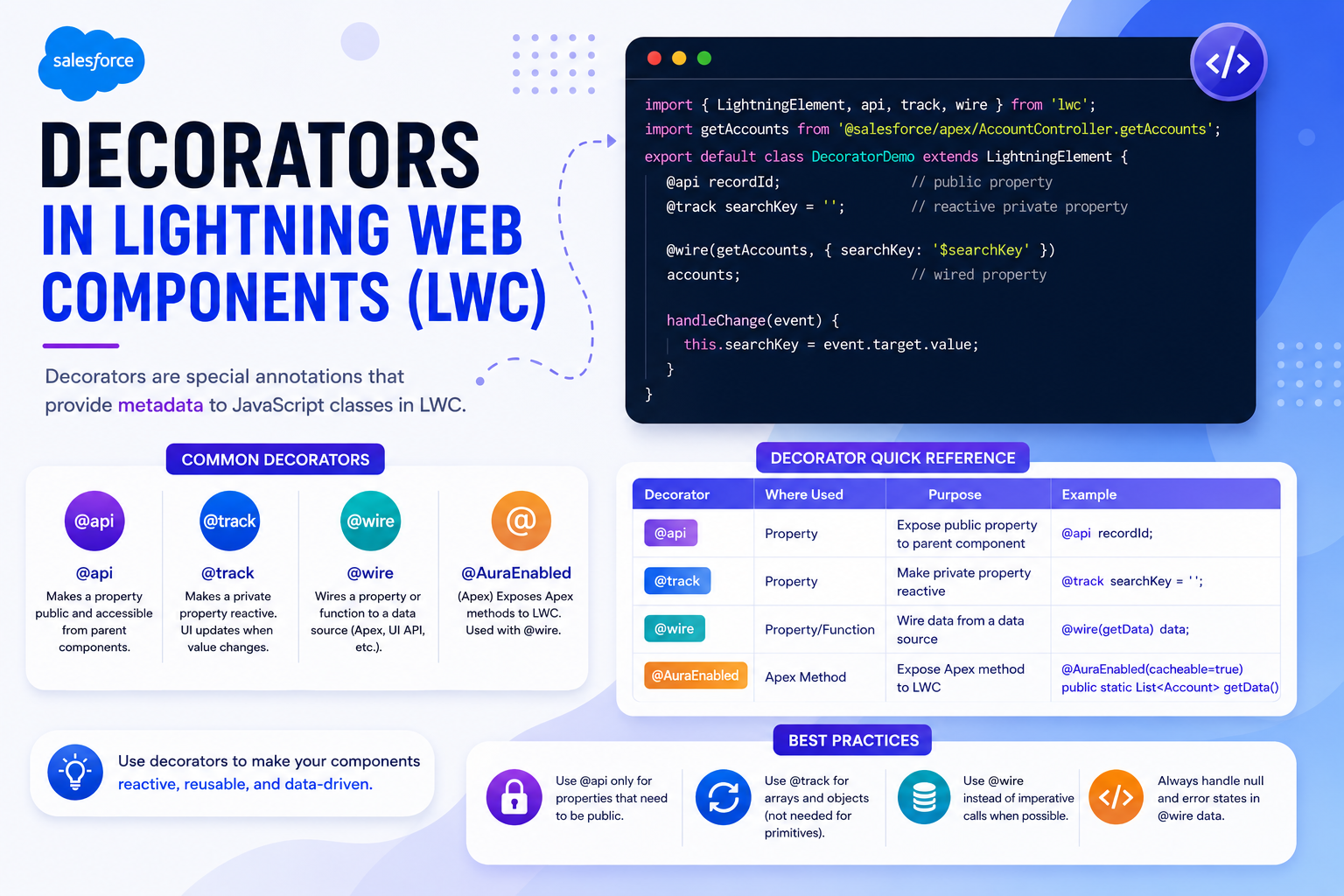
Decorators in Lightning Web Components (LWC) are special annotations that add extra behavior to JavaScript properties or functions. They are based on the ECMAScript decorator pattern and help control how data flows within a component and between components.
In LWC, decorators mainly define: whether a property is public or private, whether a field is reactive, and how a component retrieves data from Salesforce. There are three primary decorators used in LWC: @api, @track, and @wire.
@api – Public Properties and Methods
The @api decorator is used when you want to expose a property or method to other components. In simple terms, it makes a field or function public. Use @api to pass data from a parent component to a child component, to expose a method that another component can call, or to make a property configurable in Lightning App Builder. Whenever a public property changes, the component automatically re-renders.
Example: Passing Data from Parent to Child
<template>
    <lightning-card title="Child Component Example">
        <div class="slds-p-around_medium">
            <p>{displayText}</p>
        </div>
    </lightning-card>
</template>import { LightningElement, api } from 'lwc';
export default class ChildCard extends LightningElement {
@api displayText;
}<template>
<c-child-card display-text="Greetings from Parent Component!">
</c-child-card>
</template>Here, the parent sends data to the child through the display-text attribute, which maps to the @api displayText property.
@track – Tracking Changes in Complex Data
The @track decorator is used to monitor changes in objects and arrays, especially when their internal values change. Before Salesforce Spring '20, you had to use @track for fields to be reactive. Now, all fields are reactive by default. However, @track is still useful when you want to explicitly observe changes in nested object properties or array elements.
import { LightningElement, track } from 'lwc';

export default class UserInfo extends LightningElement {

    @track user = {
        name: 'John Doe',
        city: 'New York'
    };

    updateCity() {
        this.user.city = 'Chicago';
    }
}
In this example, when city changes, the UI updates automatically because the object is being tracked. Note: For simple primitive fields (string, number, boolean), @track is no longer required.
@wire – Connecting LWC to Salesforce Data
The @wire decorator connects your component to Salesforce data. It is commonly used to fetch records from an Apex class or Salesforce UI APIs. The wire service is reactive — if parameters change, the method re-runs and the component refreshes automatically.
public with sharing class AccountController {
    @AuraEnabled(cacheable=true)
    public static List<Account> fetchAccounts() {
        return [SELECT Id, Name FROM Account LIMIT 5];
    }
}import { LightningElement, wire } from 'lwc';
import fetchAccounts from '@salesforce/apex/AccountController.fetchAccounts';
export default class AccountList extends LightningElement {
@wire(fetchAccounts)
accounts;
}| Decorator | Purpose | Scope |
|---|---|---|
| @api | Exposes public properties and methods | Parent ↔ Child communication |
| @track | Tracks changes in objects/arrays | Internal component state |
| @wire | Retrieves Salesforce data | Apex/UI API integration |
Final Thoughts
Decorators play an important role in structuring Lightning Web Components. Use @api to define a component's public interface, @track when you need to observe deep changes in objects or arrays, and @wire to seamlessly connect your component with Salesforce data. Understanding these decorators helps you build cleaner, more maintainable, and reactive LWC applications.