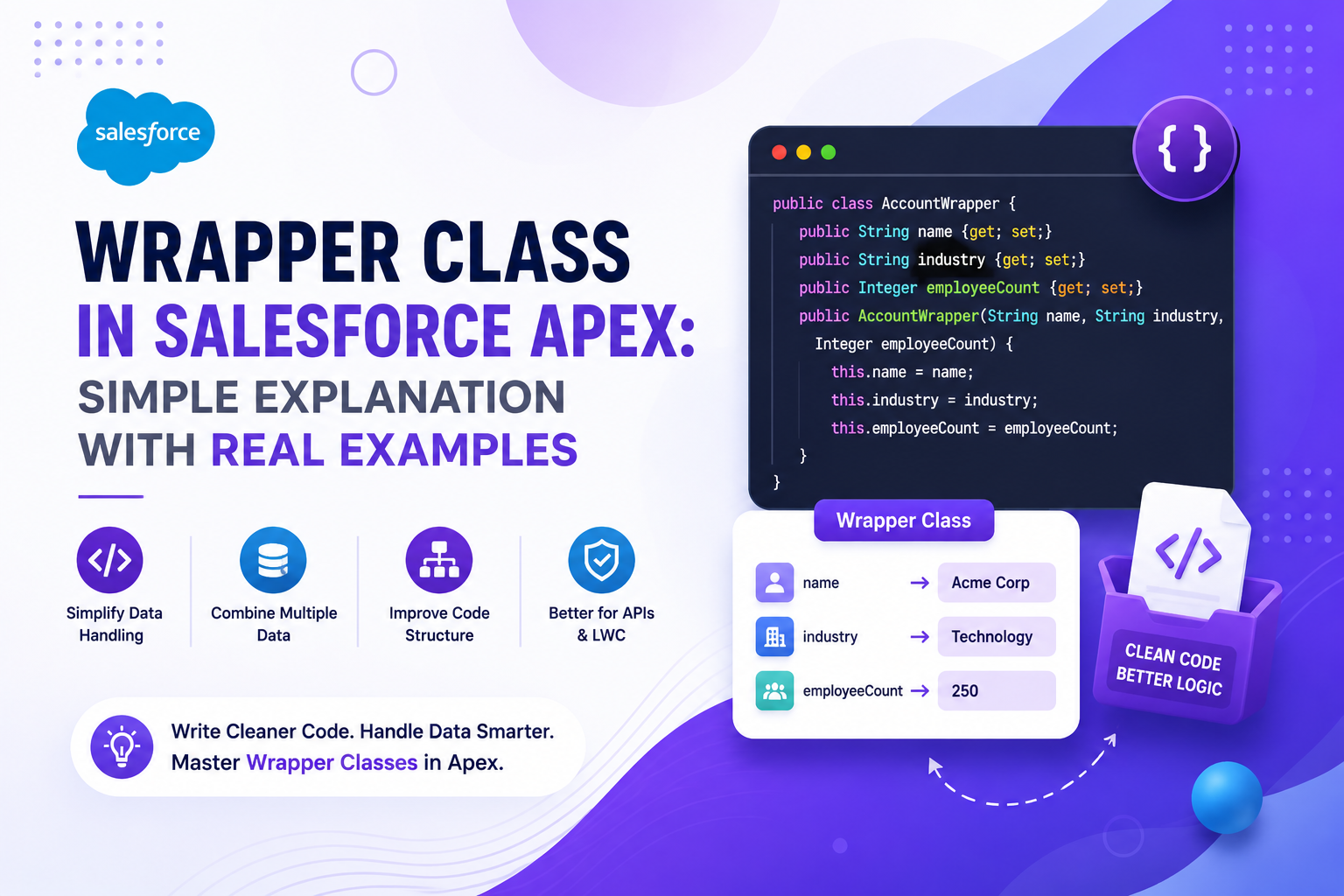
When building UIs in Salesforce — whether in Visualforce, Aura, or LWC — you often need to display or process data that doesn't fit neatly into a single Salesforce object. That's exactly what Wrapper Classes solve. A Wrapper Class is a custom Apex class that acts as a container, bundling multiple objects, calculated fields, or UI-specific properties into one clean structure. In this guide, we'll cover what wrapper classes are, why they're used, and walk through three practical examples to make it crystal clear.
📌 What Is a Wrapper Class?
A Wrapper Class is a regular Apex class whose sole purpose is to hold multiple pieces of data together — data that may come from different Salesforce objects or may not exist on any object at all. Think of it as a custom container you design yourself.
A real-life analogy: imagine an online shopping cart. In the database, a Product only has a Name and a Price. But your cart UI needs to show the product name, price, quantity, total price, and a checkbox to select items. None of those extra fields live on the Product object. A Wrapper Class acts like the cart itself — it holds all of that information together in one place for the UI to consume.
❓ Why Use Wrapper Classes?
| Scenario | Why a Wrapper Helps |
|---|---|
| Display multiple objects together | Combine Account + Contacts into a single row in a table |
| Add UI-only fields | Add a checkbox, counter, or toggle that doesn't exist on the Salesforce object |
| Pass complex data to the frontend | Send structured data from an Apex controller to Visualforce, LWC, or Aura |
| Perform and store calculations | Store a computed Discount or Final Amount alongside the source record |
| Group related records | Group an Opportunity with its line items for display or processing |
🧱 Basic Structure of a Wrapper Class
A wrapper class is just a plain Apex class with public variables — one for each piece of data you want to bundle together. It typically includes a constructor to set default values.
public class AccountWrapper {

    public Account acc { get; set; }
    public Boolean isSelected { get; set; }

    public AccountWrapper(Account acc) {
        this.acc = acc;
        this.isSelected = false;
    }

}
Here, acc holds the Account record data, and isSelected is a UI-only checkbox field that does not exist on the Account object. The constructor initializes isSelected to false by default every time a new wrapper is created.
🛠 Example 1: Account List with Selection Checkbox
A common use case is rendering a list of records in a table where users can select individual rows using a checkbox. Since the Account object has no checkbox field, we add one via a wrapper.
Wrapper Class
public class AccountWrapper {

    public Account accountRecord { get; set; }
    public Boolean isSelected { get; set; }

    public AccountWrapper(Account acc) {
        accountRecord = acc;
        isSelected = false;
    }

}
Apex Controller
public class AccountController {

    public List<AccountWrapper> accountWrapList { get; set; }

    public AccountController() {
        accountWrapList = new List<AccountWrapper>();

        for (Account acc : [SELECT Id, Name FROM Account LIMIT 5]) {
            accountWrapList.add(new AccountWrapper(acc));
        }
    }

}
The controller queries Account records, converts each one into a wrapper object, and stores them in a list. The UI receives a list of wrappers — each containing an Account record and a ready-to-use checkbox state.
🛠 Example 2: Account with Related Contacts
Another common scenario is displaying a parent record alongside its children — for example, showing an Account with all of its Contacts in a single table row. A wrapper makes this straightforward by holding both in one object.
Wrapper Class
public class AccountContactWrapper {

    public Account acc { get; set; }
    public List<Contact> contactList { get; set; }

}
Data Assignment in Controller
List<AccountContactWrapper> wrapperList = new List<AccountContactWrapper>();

for (Account a : [SELECT Id, Name, (SELECT Id, Name FROM Contacts) FROM Account]) {

    AccountContactWrapper wrap = new AccountContactWrapper();
    wrap.acc = a;
    wrap.contactList = a.Contacts;

    wrapperList.add(wrap);

}
Each wrapper in the list now contains one Account and all of its related Contacts. The UI can iterate over wrapperList and render both in the same section — without any additional queries.
🛠 Example 3: Opportunity with Calculated Fields
Wrapper classes are also useful when you need to display values derived from calculations — fields that don't exist in Salesforce but are computed at runtime, such as a discount percentage or a final amount after applying a discount.
Wrapper Class
public class OpportunityWrapper {

    public Opportunity opp { get; set; }
    public Decimal discount { get; set; }
    public Decimal finalAmount { get; set; }

    public OpportunityWrapper(Opportunity opp, Decimal discountPercent) {
        this.opp = opp;
        this.discount = discountPercent;
        this.finalAmount = opp.Amount - (opp.Amount * discountPercent / 100);
    }

}
The wrapper holds the Opportunity record, the discount rate, and the computed final amount — all in one object. Neither discount nor finalAmount exists on the Opportunity object in Salesforce, but the wrapper makes them available to the UI seamlessly.
✅ Advantages of Wrapper Classes
| Advantage | Description |
|---|---|
| Combine Multiple Objects | Bundle Account, Contact, Opportunity, or any objects into a single structure |
| Add Custom Fields | Include checkboxes, counters, calculated values, or any UI-specific property |
| Better UI Handling | Works seamlessly with Visualforce tables, LWC @wire, and Aura component attributes |
| Cleaner Code | Separates data structure from business logic — easier to read and maintain |
| Reusable | Define once, reuse across multiple controllers or components |
🕐 When Should You Use a Wrapper Class?
Use a wrapper class when: multiple Salesforce objects need to be displayed or processed together, the UI requires fields that don't exist on any standard or custom object, records need to be grouped with computed or temporary values, or complex data structures need to be passed cleanly from an Apex controller to a frontend component.
You likely don't need a wrapper if you're working with a single object, all required fields already exist on that object, and no UI-specific state (like selection or calculations) is needed.
🏁 Final Thoughts
Wrapper Classes are one of those Apex patterns that seem simple on the surface but unlock a lot of flexibility in practice. By acting as a custom container for mixed or enriched data, they keep your controller logic clean, your UI code simple, and your data structures expressive. Whether you're building a selectable record table, a parent-child display, or a calculated summary view, wrapper classes are the right tool for the job. Master this pattern early — it appears constantly in real-world Salesforce development.